Android app Web player Early access
Your music, your way.
On your Android, and now in your browser.
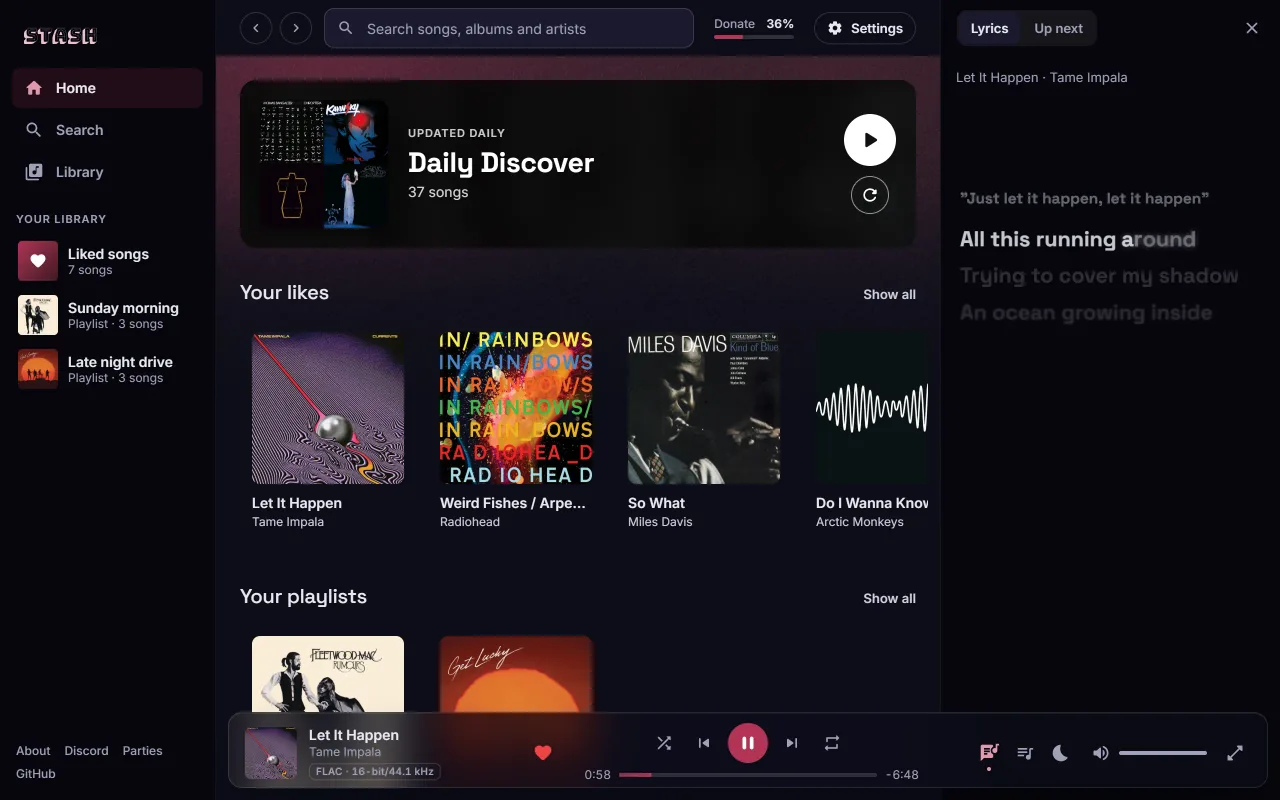
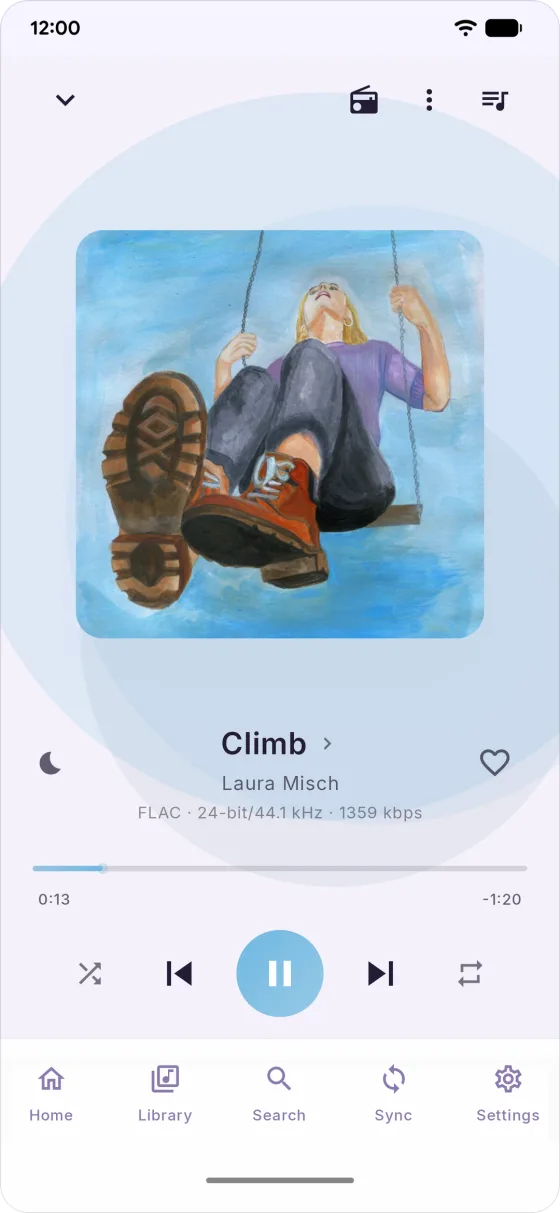
Stash at a glance
- No Stash account.
- No analytics.
- Open source.
Your credentials live on your phone, with the Spotify, YouTube and Discord tokens encrypted, and each one is only ever sent back to the service it came from.
See everything Stash talks toWeb player · Early access
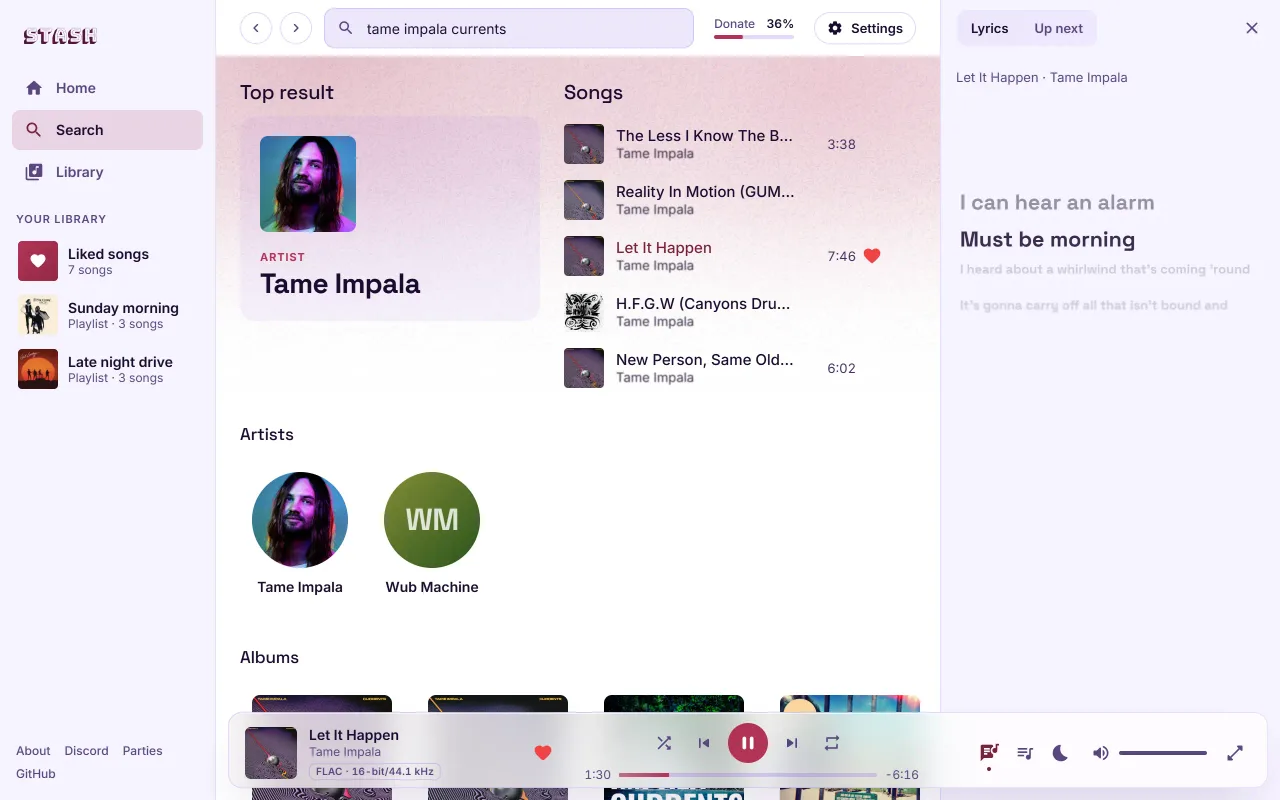
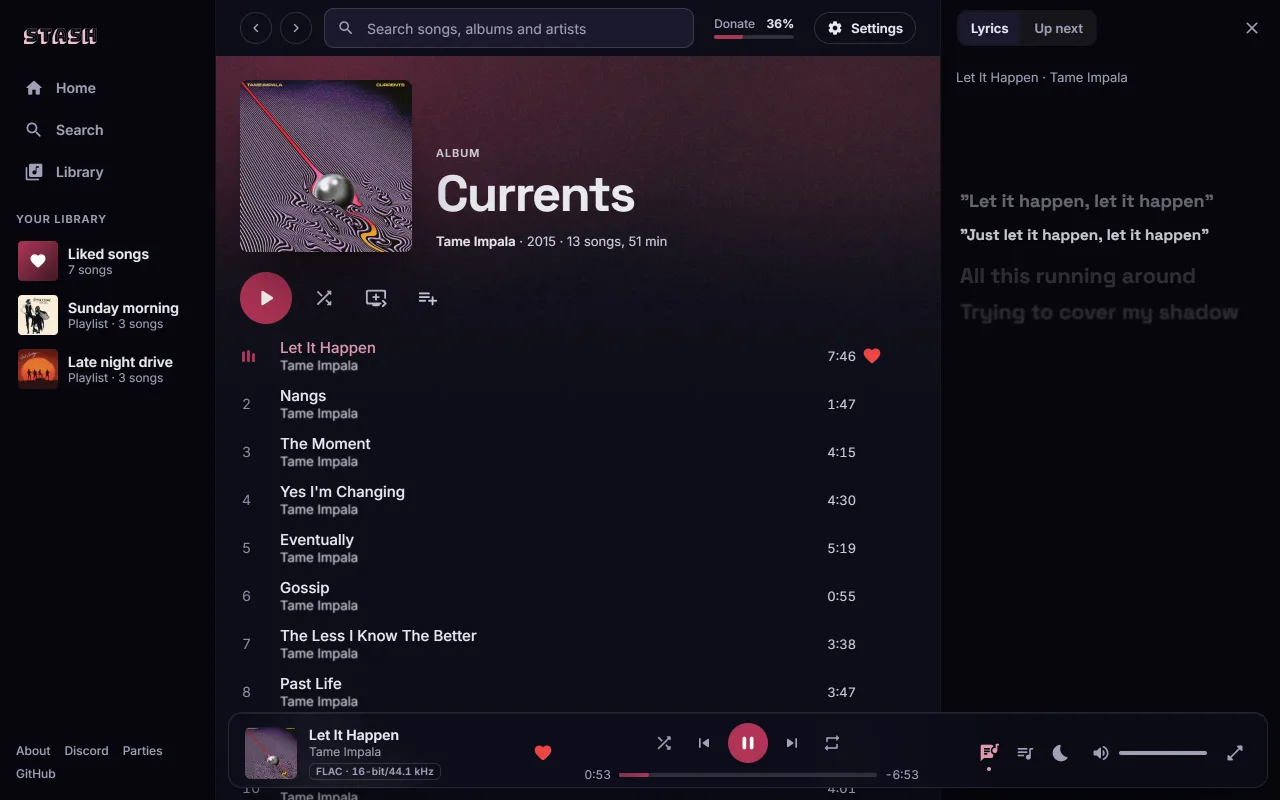
The same great Stash, in your browser
Stream in your browser and download songs in FLAC, with nothing to install.
Get early access
Supporting with $5 or more on Ko-fi gets you on the list, and smaller donations add up. Enter the email you supported with, and we'll send you a code.
Not on the list? Request access.
Monthly goal
$276 of $200 this month
Donations cover hosting and development.


Your library
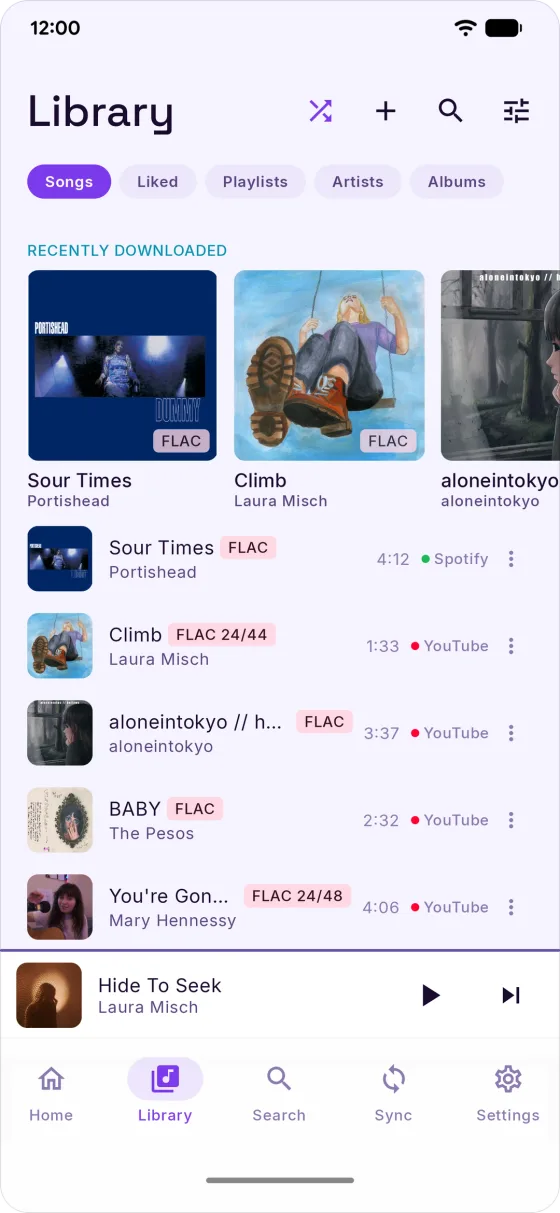
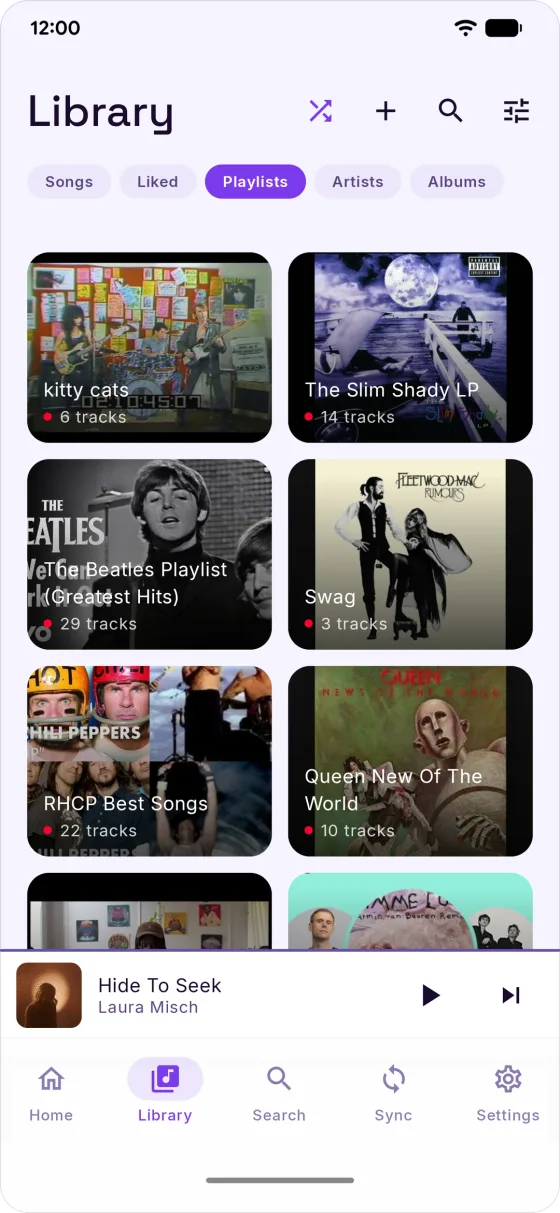
Spotify and YouTube Music, one library
Liked songs, playlists, daily mixes and every Spotify mix worth syncing, from both services, in one library.
- Likes and history mirroring. New likes in Stash can be mirrored to Spotify, YouTube Music and Last.fm, and songs you finish can be added to your YouTube Music history. Each is off until you turn it on.
- Wrong version? Swap it. Flag it from Now Playing, then pick the right one from the Sync tab.
- Scrobbling, if you want it. Last.fm or ListenBrainz, off until you connect one.
- Recommended by Last.fm. Connect Last.fm and Stash keeps a rotating playlist of songs it suggests from your listening.
Now Playing
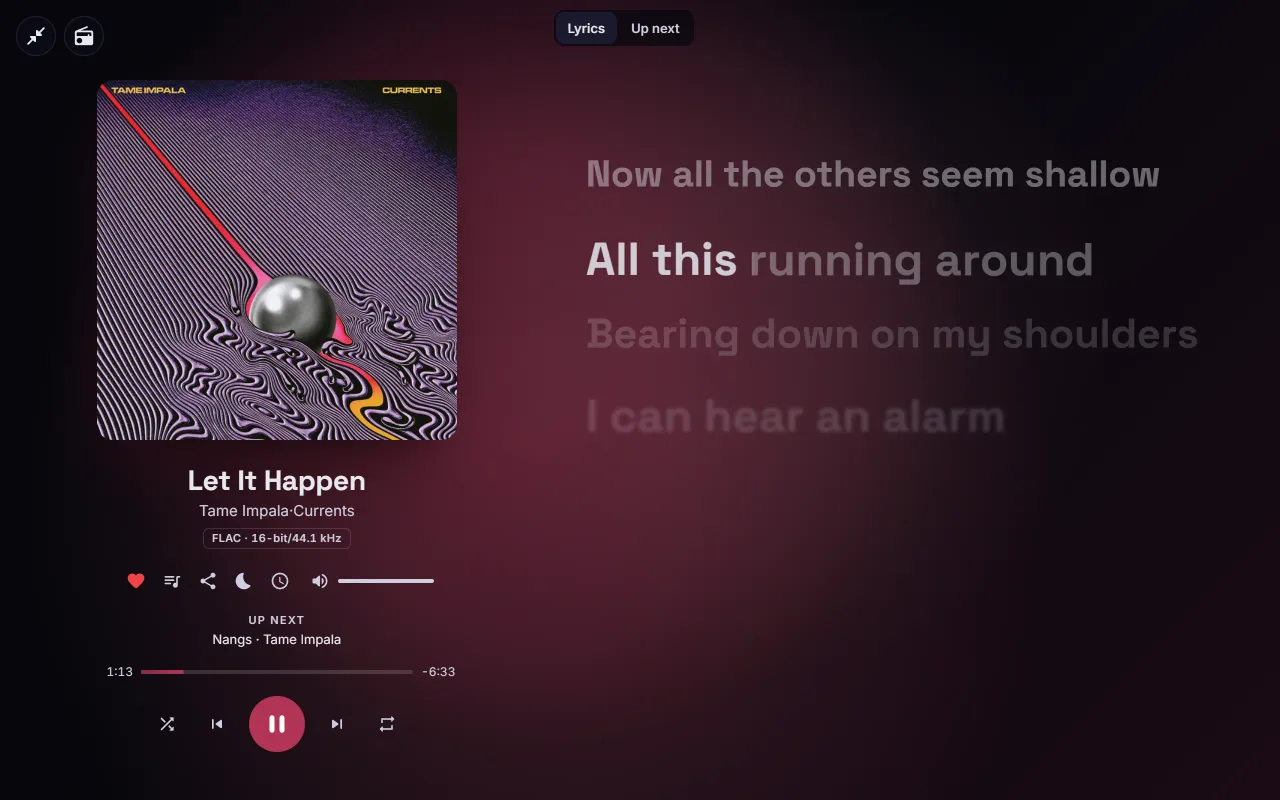
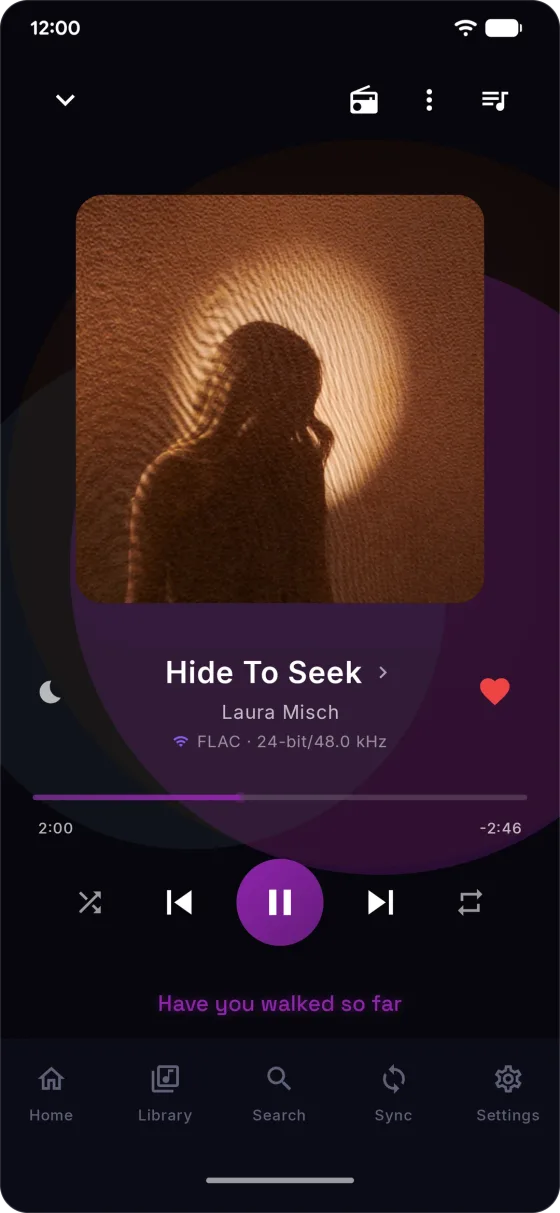
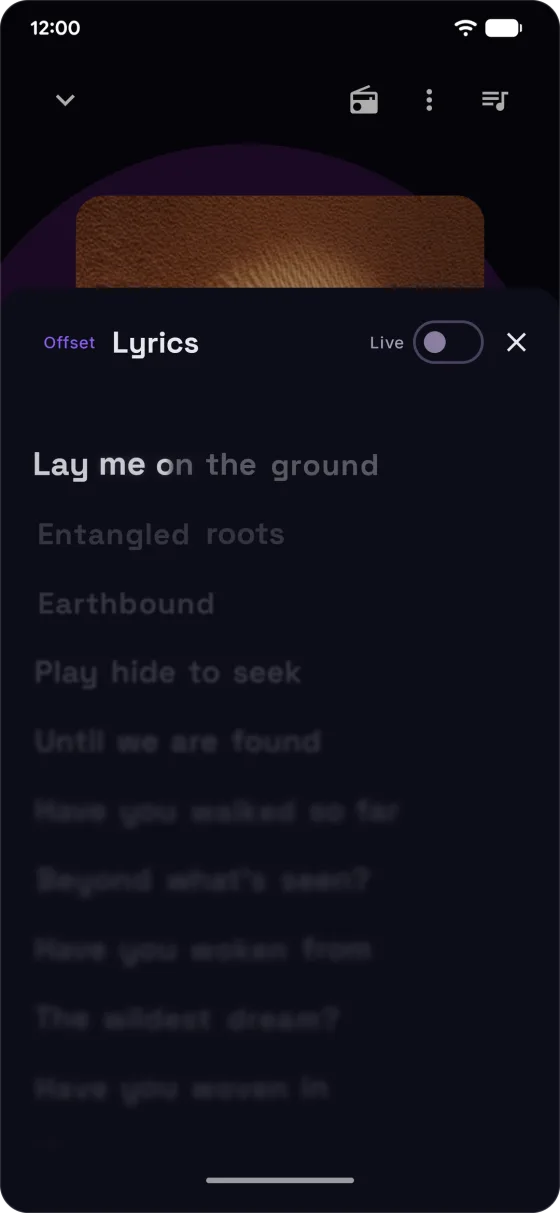
Lyrics that light up word by word
Now Playing's colour wash follows the album art. Synced lyrics scroll with the song, and where word-synced lyrics exist, each word lights up as it's sung.
- 5-band equalizer with presets
- Bass boost
- Crossfade
- Loudness normalization
Social
Music is better together
Still no Stash account. People see whatever name you choose to show.
-
Listen Together
Start a session and friends anywhere hear the same song at the same moment. The host runs playback and can hand it over; everyone else can suggest songs and send reactions.
Up to 10 people per session
-
Shared mixes
Share a playlist or mix as a link. Friends with Stash can follow it, so it keeps up as you add songs, or save a copy of their own.
Follow it, or save a copy
-
Community
Post the playlists and songs you're into, and vote on what other listeners post. Posts that get voted up rise to the top of Community's section on Home.
Off until you turn it on
FAQ
Questions, answered
Didn't find yours? The Discord is the place to ask, and answers come fast.
Ask on DiscordIs Stash free?
Yes. Stash is free and open source under the GNU General Public License, version 3 or later. There's no Stash account to make, but to sync a library you need your own Spotify and/or YouTube Music account.
If you'd like to help keep Stash going, you can support the project.
Why isn't Stash on the Play Store?
Google Play doesn't allow apps that save audio from YouTube, so Stash is published on GitHub instead.
Stash never downloads audio from Spotify. It reads your Spotify library with your own login and finds each song's audio elsewhere, as the privacy page lists. Stash isn't affiliated with or endorsed by any of the services it connects to, and you're responsible for how you use it.
How do I install it?
On your phone, tap Download for Android to get
Stash.apk, or pick it from the latest release. Open it,
and if Android warns about installs from unknown sources, allow them for your browser and try again.
Then tap Install.
Stash checks GitHub for new releases and lets you know when one is out. To get updates through
Obtainium, add https://github.com/rawnaldclark/Stash to it.
Is my data safe?
Stash has no account server, no analytics and no third-party crash reporters. Your credentials live on your phone, with the Spotify, YouTube and Discord tokens encrypted (AES-256-GCM, via Google's Tink), and each one is only ever sent back to the service it came from. No host the project runs ever sees one.
Lyrics, scrobbling, artist info and the audio itself come from hosts of their own. The privacy page lists everything Stash can reach, and what each one is sent. Found a security issue? Please report it privately.
What do I need?
A phone running Android 8.0 or later, and a Spotify and/or YouTube Music account. With Download on, you also need room for your music, at the quality you pick in Settings › Audio & Quality. Stream only needs almost nothing.
Sync stops in the background. What can I do?
Some phones, especially from Samsung, Xiaomi, OnePlus and Huawei, close background apps aggressively to save battery. If a sync fails partway with a foreground-service error, open your phone's Settings › Apps › Stash › Battery and set it to Unrestricted. You only need to do this once.
If that's not enough on your phone, dontkillmyapp.com has steps for each manufacturer.
Community
Made in the open
Every line of Stash is open source. Come say hi, report a bug, or help build what's next.
Join the Discord
Questions, requests, "is this thing on": the Stash Discord is the place. Active dev there, fast answers.
Join the serverBuild it on GitHub
Bug reports and feature requests go to GitHub Issues, and pull requests are welcome. A star helps too.
Open the repoSupport Stash
Stash is free, open source, and has no ads or analytics. If you'd like to chip in:
A star, a bug report, or telling a friend helps just as much. Thanks.
Want Stash in your language? Help translate it on Weblate.

Your library, ready when you are
Free, with no Stash account to make. Install Stash, connect Spotify or YouTube Music, and pick what to sync.